Programming often means doing the same task more than once. Imagine printing numbers from 1 to 100 or checking every item in a shopping list. Writing the same code repeatedly would be slow and frustrating. That’s where Python loops become incredibly useful.
If you’re learning Python for the first time, loops may seem confusing at first. The good news is that once you understand the basic idea, you’ll start using them in almost every program you write. In this guide, you’ll learn Python loops explained with real examples, simple syntax, and practical tips that make them easy to understand.
What Are Python Loops?
A loop is a programming structure that repeats a block of code until a condition is met or until all items in a collection have been processed.
Instead of writing the same statement multiple times, you write it once inside a loop.
For example, instead of this:
print("Welcome")
print("Welcome")
print("Welcome")
print("Welcome")
print("Welcome")
You can simply write:
for i in range(5):
    print("Welcome")
The output is exactly the same, but the code is much shorter and easier to maintain.
Types of Python Loops
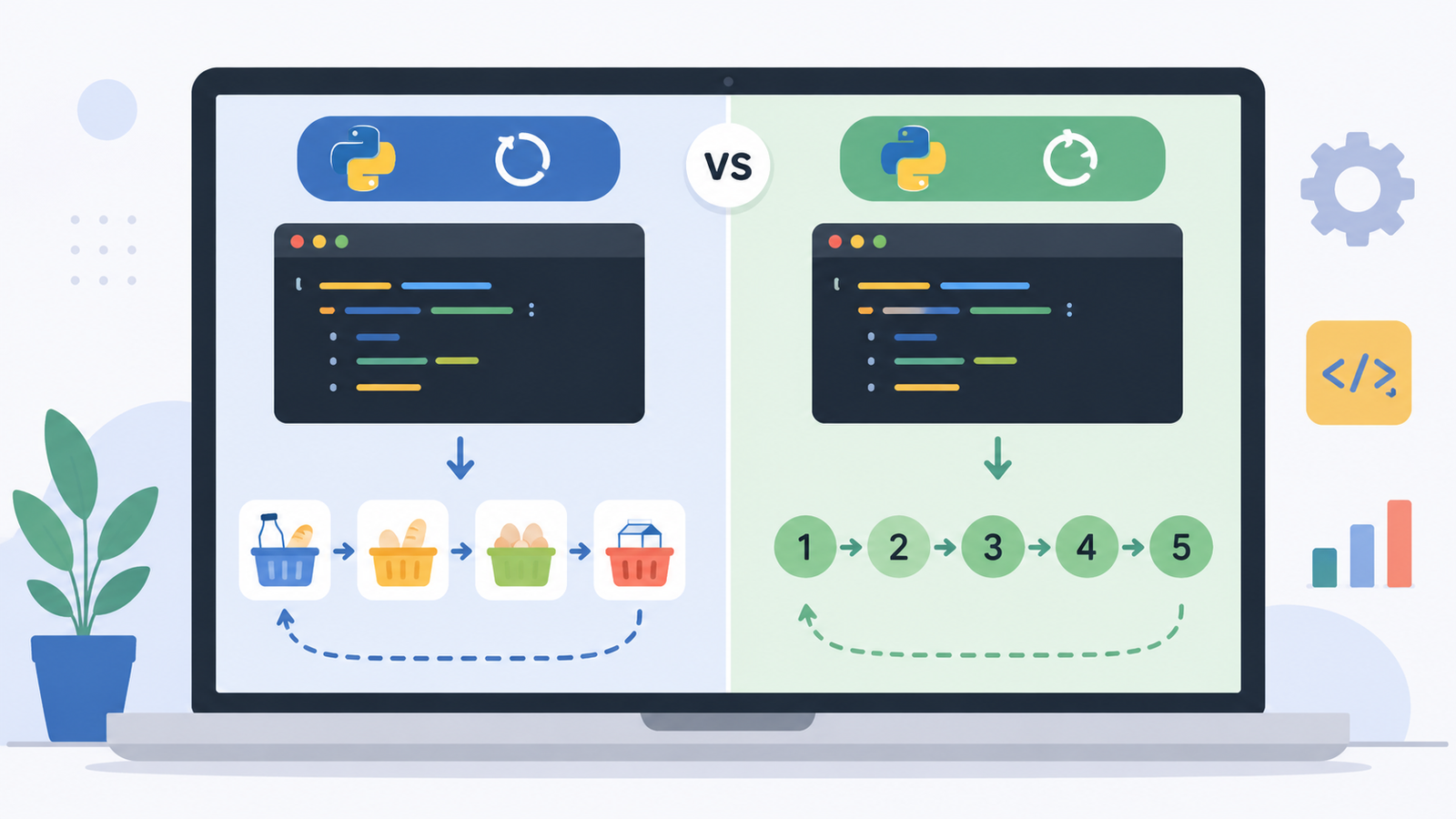
Python mainly provides two types of loops:
- for loop
- while loop
Each serves a different purpose, and understanding when to use each one will make your code cleaner and more efficient.
Python for Loop Explained with Real Examples
A for loop is used when you already know how many times you want to repeat something or when you’re working with a collection like a list, tuple, string, or dictionary.
Basic Example
for number in range(1, 6):
    print(number)
Output:
1
2
3
4
5
The range(1, 6) function generates numbers from 1 up to (but not including) 6.
Real Example: Shopping List
Imagine you have a shopping list.
shopping = ["Milk", "Bread", "Eggs", "Rice"]

for item in shopping:
    print("Buy:", item)
Output:
Buy: Milk
Buy: Bread
Buy: Eggs
Buy: Rice
This is much easier than printing every item separately.
Loop Through a String
You can also loop through every character in a word.
word = "Python"

for letter in word:
    print(letter)
Output:
P
y
t
h
o
n
This technique is useful for text processing and beginner coding exercises.
Understanding the Python while Loop
A while loop keeps running as long as its condition remains true.
Basic Example
count = 1

while count <= 5:
    print(count)
    count += 1
Output:
1
2
3
4
5
Notice the line:
count += 1Without increasing the value of count, the loop would never stop.
Real Example: Password Attempts
Suppose a user has three chances to enter the correct password.
attempts = 1

while attempts <= 3:
    print("Password attempt", attempts)
    attempts += 1
This is one of the most common real-life uses of a while loop.
Python Loop Control Statements
Sometimes you need more control over how loops behave.
Python provides three useful statements.
break
Stops the loop immediately.
for number in range(1, 10):
    if number == 6:
        break
    print(number)
Output:
1
2
3
4
5
continue
Skips the current iteration and moves to the next one.
for number in range(1, 6):
    if number == 3:
        continue
    print(number)
Output:
1
2
4
5
pass
Acts as a placeholder when you haven’t written the code yet.
for number in range(5):
    pass
It doesn’t perform any action but prevents syntax errors.
Real-Life Uses of Python Loops
Once you start building projects, you’ll notice loops everywhere.
Here are a few examples:
- Reading every line in a file
- Processing customer records
- Displaying menu options repeatedly
- Automating repetitive tasks
- Creating games
- Data analysis
- Web scraping
- Machine learning data preparation
Loops are one of the building blocks of automation, which is one reason Python is so popular.
Common Mistakes Beginners Make
Everyone makes mistakes while learning loops. Here are a few to avoid.
Forgetting to Update Variables
This often happens in while loops.
count = 1

while count <= 5:
    print(count)
This creates an infinite loop because count never changes.
Always remember to update the variable.
Wrong Indentation
Python uses indentation to define blocks of code.
Correct:
for i in range(3):
    print(i)
Incorrect:
for i in range(3):
print(i)
Proper indentation is essential in Python.
Choosing the Wrong Loop
A simple rule is:
- Use for when the number of repetitions is known.
- Use while when the loop depends on a condition.
Keeping this rule in mind makes programming much easier.
Tips for Mastering Python Loops
Learning loops becomes easier with regular practice.
Here are a few suggestions:
- Start with small examples.
- Predict the output before running your code.
- Practice using lists, strings, and dictionaries.
- Combine loops with conditions.
- Solve beginner coding challenges every day.
- Don’t memorize—understand how the loop flows.
One habit that helped many beginners is tracing each iteration on paper. Writing down variable values step by step makes even complex loops much easier to understand.
Final Thoughts
Understanding Python loops explained with real examples is one of the biggest milestones for every beginner programmer. Once you know how for loops and while loops work, you’ll be able to automate repetitive tasks, process data efficiently, and write cleaner code.
Don’t worry if loops seem difficult at first. Every programmer has been there. The key is to practice with small programs, experiment with different examples, and gradually challenge yourself with more complex problems.
Open your Python editor today and try writing a few loop examples on your own. The more you practice, the more natural loops will become. If you discover a fun example or have a question, share it in the comments and keep learning!