So you’ve started learning Python and keep hearing the word “variable” everywhere. What is it, why does every tutorial obsess over it, and why does your code break the moment you mess one up? Let’s fix that confusion right now, in plain English.
By the end of this guide, you’ll understand exactly what Python variables are, how to create them, and the small mistakes that trip up almost every beginner.
What Exactly Is a Variable in Python?
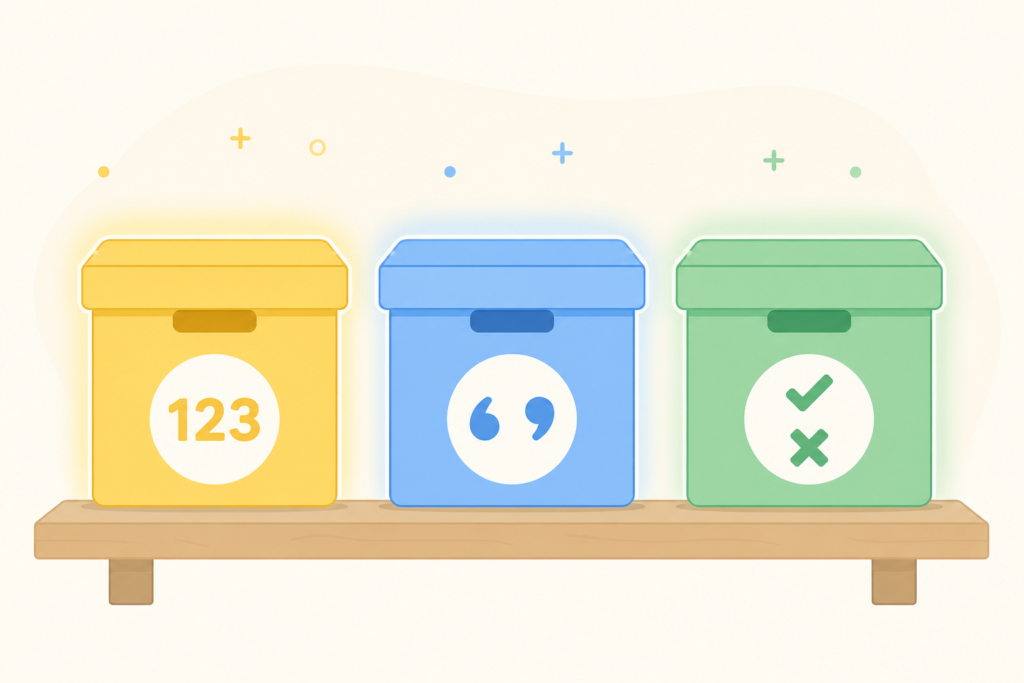
Think of a variable as a labeled box. You put something inside it — a number, a word, a list — and you give that box a name so you can find it later.
python
age = 25
name = "Sarah"
Here, age is the label, and 25 is what’s stored inside. That’s it. No magic, no complicated math involved.
Python doesn’t make you announce what type of data you’re storing (unlike languages like Java or C++). You just assign a value, and Python figures out the rest on its own.
How to Create a Variable (The Right Way)
Creating a variable in Python is almost insultingly simple. You write a name, an equals sign, and the value.
python
city = "New York"
temperature = 72
is_raining = False
Notice three things happening above:
cityholds text (called a “string”)temperatureholds a whole number (an “integer”)is_rainingholds a True/False value (a “boolean”)
You didn’t tell Python any of this directly — it just understood from context. This is called dynamic typing, and it’s one of the reasons people fall in love with Python early on.
Naming Your Variables (Don’t Skip This Part)
Here’s where beginners usually trip up. Python has rules about what you can and can’t name a variable.
You can:
- Start with a letter or underscore (
_score,total_price) - Use numbers anywhere except the first character (
score2) - Use uppercase and lowercase letters
You cannot:
- Start with a number (
2totalwill throw an error) - Use spaces (use underscores instead:
first_name, notfirst name) - Use reserved words like
print,if, orclassas variable names
A personal tip from experience: stick to lowercase with underscores (called snake_case). It’s the standard in Python, and your future self will thank you when reading old code.
Updating a Variable’s Value
Variables aren’t set in stone. You can change what’s inside that “box” anytime.
python
score = 10
print(score)  # Output: 10

score = 25
print(score)  # Output: 25
You can even update a variable based on its own current value:
python
score = 10
score = score + 5
print(score)  # Output: 15
Python also gives you a shortcut for this exact pattern:
python
score += 5This does the same thing — adds 5 to the existing value — just with less typing.
Assigning Multiple Variables at Once
Once you’re comfortable with the basics, this trick will save you real time. Python lets you assign several variables in a single line.
python
x, y, z = 1, 2, 3You can also assign the same value to multiple variables together:
python
a = b = c = 0This is handy when you’re initializing several counters or flags before a loop, and it keeps your code cleaner instead of repeating the same line three times.
Checking a Variable’s Data Type
Curious what type of data your variable is holding? Python has a built-in function for that.
python
age = 25
print(type(age))  # Output: <class 'int'>
This becomes genuinely useful once your programs grow bigger, especially when you’re debugging and a function isn’t behaving the way you expect.
Common Python Variable Types You’ll Meet Early
- String (
str) — text, written in quotes:"hello" - Integer (
int) — whole numbers:10,-3 - Float (
float) — decimal numbers:3.14 - Boolean (
bool) — True or False values - List — a collection of items:
[1, 2, 3]
You don’t need to memorize all of this today. You’ll naturally absorb it as you write more code.
Mistakes Beginners Make With Python Variables
Let’s be honest — everyone messes these up at least once.
- Forgetting Python is case-sensitive.
Ageandageare two completely different variables. - Using a variable before defining it. Python reads your code top to bottom, so if you reference something before creating it, you’ll get a
NameError. - Overwriting variables accidentally. Reusing the same variable name for different purposes in one script causes confusing bugs later.
- Mixing data types without realizing it. Adding a string and an integer directly (
"5" + 5) will throw an error, since Python won’t guess your intention.
python
age = "25"
print(age + 5)  # This will cause a TypeError
To fix it, you’d convert the string to a number first:
python
age = int("25")
print(age + 5)  # Output: 30
A Quick Practice Exercise
Try writing this small script yourself before moving to the next tutorial:
python
name = "Alex"
age = 30
height = 5.9
is_student = False

print(name, age, height, is_student)
Run it, tweak the values, change the types, and watch what happens when you intentionally break something. That’s honestly the fastest way to learn — not by reading, but by experimenting and seeing the errors firsthand.
Final Thoughts
Python variables are the foundation everything else in your coding journey builds on — functions, loops, classes, all of it eventually comes back to storing and managing data inside variables. Once this clicks, the rest of Python starts feeling a lot less intimidating.
Open up your code editor right now and create five variables of different types. Play around with them, break them, fix them — that hands-on practice is what actually makes this stick. If you get stuck anywhere along the way, drop a comment and I’ll help you sort it out.